What Photos Should Tucson Auto Shops Post Online?
A polished stock photo of a car tells a driver very little about your shop. Your Tucson auto shop website needs photos that answer practical questions: where to pull in, who will greet them and what kinds of work you actually do.
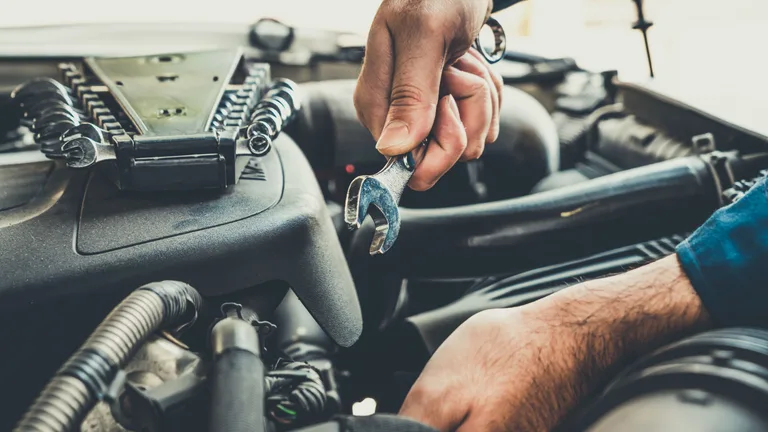
- Arrival Show the driveway and customer entrance.
- People Introduce the team customers will meet.
- Work Explain a service with a real shop photo.
Post clear, current photos of your entrance, customer reception, team and the services your shop performs. Use captions to explain anything a new customer might misunderstand. Get permission for recognizable people and customer vehicles, remove private details, and favor useful images over a large gallery of similar cars.
Which Auto Shop Photos Help a New Customer First?
Begin with the photos that help someone recognize the business and arrive at the right place. Show the frontage from the direction customers approach, the driveway and the customer entrance. Then show the reception area and the person or team who handles questions.
A driver may see your page while deciding whether to call, then return to it when traveling to the shop. A clear entrance photo serves both visits. If your building sits behind another business or shares a parking area, add a short caption explaining the correct turn or door.
Photograph the customer route during normal operating conditions. Avoid blocking a driveway for a staged image or showing parking spaces customers cannot use. If the service entrance is different from the customer entrance, label the two so visitors don't walk into a working bay.
Include the waiting area if you offer one, with a caption that reflects the facilities currently available. Don't imply every repair can be completed while someone waits. The image should show the space, while service and scheduling details explain how the visit works.
Choose the opening set before arranging a long photo session. One good entrance image, a clear reception photo and a useful service image may cover more questions than many close-ups of vehicle badges. Add photographs where they explain something a caller currently has to ask.
For the surrounding page content, see our guide to the details that help customers assess a local business website. Photos should agree with your address, service list and opening hours. An attractive image cannot repair contradictory information.
For a shop on Speedway, choose a view that shows its driveway as well as the building. If access is from a side street, put that instruction beside the image. The familiar road name alone does not explain the last turn.
How Can Service Photos Explain the Work Without Overpromising?
Use a service photo to show the work you perform and explain what the customer is looking at. Name the service, describe the visible step and avoid suggesting that one repair represents every diagnosis. Have the technician responsible for the work check the caption before it goes online.
A photograph of an inspection can accompany your inspection page. A piece of equipment can explain a service if you say what your shop uses it for. Equipment alone doesn't establish a qualification, so list credentials separately and only when they are current and applicable.
Before-and-after images need context. If you use them, show the same vehicle or part under comparable conditions and explain what changed. Never present another shop's repair, a stock image or an AI-generated scene as work your technicians completed.
There is a substantial, varied vehicle fleet behind repair demand. S&P Global Mobility reported an average U.S. vehicle age of 12.8 years in 2025, across about 289 million light vehicles in operation. Those national figures don't tell you which makes or repairs your Tucson shop should target.
AAA reported more than 27 million roadside service calls in 2024, including about 7 million battery-related calls. That is evidence about AAA's assistance workload, not proof that a battery photo will bring bookings. Choose service images based on the work you offer and the questions your own customers ask.
If you want to show an inspection finding, explain the image without diagnosing the reader's vehicle. A caption can identify what the technician checked and direct readers to arrange an inspection. It shouldn't tell every visitor that a similar-looking part needs replacement.
12.8 Years
Average age of U.S. light vehicles in 2025, S&P Global Mobility.
27M+
AAA roadside service calls in 2024, reported in April 2025.
How Should You Prepare and Maintain the Photos Online?
Choose a small, useful set, prepare the files for the website and place each image beside the information it supports. Check the page on a phone before publishing. Keep the original files and a record of where each approved photograph is used so later updates are straightforward.
Shoot in decent light and avoid heavy filters that change the appearance of the shop. Hold the camera level and leave some room around the subject for different crops. A designer can work with a clear original more easily than a tightly cropped screenshot from a social post.
Make a separate web copy instead of uploading the largest camera file everywhere. Check that compressed images still show the sign, person or equipment clearly. Your developer can choose suitable formats and sizes for the page, while you confirm that the picture still communicates the right detail.
Write a caption when it adds context the picture doesn't provide. Useful alternative text describes meaningful visual content for people who can't see the image. Don't fill either field with repeated Tucson keywords or a list of services unrelated to the photo.
Use social posts to share a service explanation, then link to the relevant page when readers need details or appointment instructions. Reusing an approved image is fine when its context remains accurate. For feedback after the visit, our guide to auto shop online reviews covers a separate part of the customer experience.
Assign photo maintenance to a person who knows when the shop changes. A new entrance, changed signage or different customer desk should prompt a review of the affected pages. Remove images that give instructions customers can no longer follow.
When planning a Tucson business website, bring your existing originals and identify what each one shows. Internet Crafters can organize approved photos around the page content. The website package guide can help you choose the scope once the required pages are clear.
What Else Should You Check?
Do I Need a Professional Photographer?
A photographer can help with lighting, composition and a consistent set of images. Clear phone photos can still explain an entrance or current service. Decide what the page needs to show before paying for a large shoot.
Can I Use Photos From a Vehicle Manufacturer?
Use an image only when you have permission or a license covering the intended use. Keep the terms with the file. A manufacturer's product image should be labeled appropriately and should never suggest your shop performed the pictured work.
Should Every Photo Include the Shop Logo?
Your webpage already identifies the business. A large logo over every photo can hide the useful detail, especially on a phone. Add branding where it serves a purpose, and keep signs, faces and service details easy to see.
Can We Photograph a Customer Collecting Their Car?
Ask the customer before taking or publishing marketing photos, and make declining easy. Explain where you plan to use the image. Check the background for paperwork and other customers who have not agreed to appear in it.
How Many Pictures Belong on a Service Page?
Use enough to explain the service without repeating the same view. A relevant overview and a useful detail may be sufficient. Add another image when it answers a different question, and check how the whole page loads on a phone.
What Should We Remove From an Old Gallery?
Remove photos of services you no longer offer, departed staff presented as current and entrances customers shouldn't use. Keep useful older work only when the context remains accurate. Review captions and permissions along with the image itself.
Where Do These Figures Come From?
- S&P Global Mobility: U.S. Vehicle Age, May 2025 prnewswire.com
- AAA: Roadside Assistance and Maintenance, April 2025 newsroom.aaa.com
External links open in a new tab. Internet Crafters has no affiliation with these publications.
Written by Steve Bullis, founder of Internet Crafters, a Tucson web studio building websites for small businesses.
Added to the September archive on .
Could Better Photos Explain Your Shop?
Bring Internet Crafters your current pictures and the services you want to show. We'll help plan where each image belongs and identify the gaps.